
Random Video Call: How It Works and How to Use It More Safely
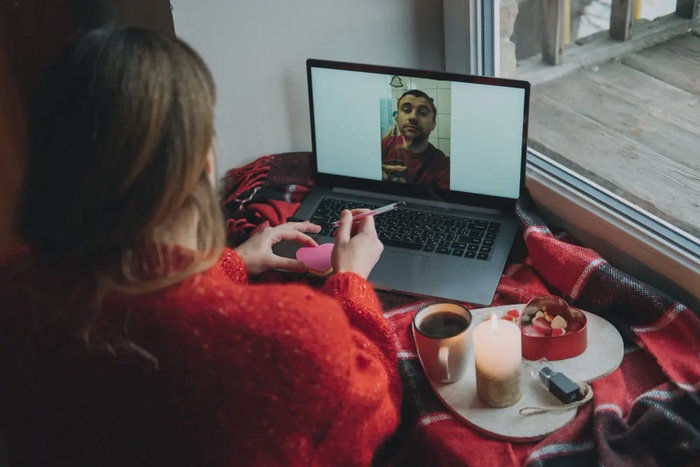 A random video call places you face-to-face with someone you have not chosen or spoken with before. It can provide a quick conversation, but it also removes much of the context that normally helps people decide whether they want to interact.
Before turning on your camera, understand what the service can reveal, what another participant could record and how quickly you can leave or report a problem. If your real goal is dating, it is also worth comparing anonymous matching with a planned video conversation after both people have reviewed each other’s profiles.
What is a random video call?
Random video platforms usually place available users in a queue. When two people are connected, the conversation begins immediately. Either person can normally end the session and move to another caller.
Some services provide filters for language, location or broad interests. These settings may influence the connection, but they do not necessarily confirm a participant’s identity, age or reason for joining.
This creates a simple exchange:
- What you gain: speed, novelty and immediate human interaction.
- What you lose: profile context, shared intent and time to decide whether contact is appropriate.
When random video chat may fit—and when it may not
The format may suit adults who want a brief, spontaneous conversation and are comfortable ending calls quickly. It can also provide informal speaking practice or introduce perspectives outside a familiar social circle.
It is a weaker fit when you want:
- a serious relationship;
- information about someone before speaking;
- control over who can contact you;
- a conversation based on shared goals;
- time to establish basic trust first.
A random call can occasionally lead to a worthwhile connection, but the format itself does not screen for compatibility. The next person in the queue is simply available at the same moment.
Check your screen before checking the other person
People often protect their name but overlook the information visible behind them. A work badge, parcel label, school logo, family photograph or view through a window can help a stranger identify where they live or work.
Complete this short check before joining:
- Move to a plain background.
- Remove mail, documents and workplace items.
- Turn off message previews and desktop notifications.
- Use a username that is not connected to public accounts.
- Review camera, microphone and location permissions.
- Keep relatives, colleagues and housemates out of view.
A virtual background can help, but it may briefly expose the room when you move. Nothing visible on camera should be something you would regret seeing in a screenshot.
How to assess the first minute
You do not owe an unknown caller your time. If the person displays sexual content, makes threats, uses abusive language or demands personal information, end the call immediately.
When the opening appears respectful, ask a neutral question such as, “What kind of conversation were you hoping to have?” Their answer helps clarify intent without revealing private information about you.
Continue only when the other person:
- accepts that some topics are private;
- participates in a balanced conversation;
- does not pressure you to change platforms;
- keeps the interaction appropriate;
- allows you to end the call without argument.
A pleasant opening is not proof of trustworthiness. It only gives you a reason to continue for another moment.
Random calling is different from a planned video date
A planned video date begins with more context. Both people may have reviewed profiles, exchanged messages and agreed on a time to speak. The call then becomes an opportunity to check whether the ease of written communication carries into a live conversation.
This format also lets you prepare. You can choose a suitable time, decide what you are comfortable discussing and keep the call short enough that neither person feels trapped.
EliteSingles follows this more intentional route: members can review verified profiles and use detailed preferences, Smart Matchmaking and advanced filters before deciding whom to contact, while the video-call feature allows an existing connection to move from messages to a live conversation; video calling is currently available on PC and mobile versions but not through the iOS app, and EliteSingles does not use it to pair random strangers. Members who want to begin with profile context can create an EliteSingles account and define their dating preferences.
What a video conversation can—and cannot—confirm
A live call may show that the person resembles their photos and can participate in a natural conversation. It can also help you notice tone, listening style and whether the exchange feels mutual.
It cannot confirm every claim someone has made. A video image does not prove employment, relationship status, financial circumstances or future intentions. It also does not guarantee that the call is private.
Use the conversation to answer modest questions:
- Do I feel comfortable speaking with this person?
- Does the conversation match the tone of our messages?
- Are my limits accepted without pressure?
- Would I like another conversation or a public meeting?
Trying to establish more than this during one call can create false confidence.
Warning signs that should end the conversation
Requests involving money
Do not send money, gift cards, cryptocurrency or banking details to an online contact. The US Federal Trade Commission’s guidance on romance scams warns that scammers often invent emergencies or investment opportunities after building emotional trust.
Pressure to reveal another account
Moving immediately to a personal phone number or social account can connect the caller to your identity, contacts and location. A respectful person will accept that you prefer to remain on the original platform.
Sexual requests or exposure
Leave if someone exposes themselves, asks you to remove clothing or requests intimate images. Assume that any video could be recorded. Do not respond by sharing or redistributing the material.
Manufactured urgency
Be cautious when someone says you must act immediately, keep the interaction secret or prove your trust. A genuine connection does not require an instant financial, sexual or emotional commitment.
What to do after an unsafe or unwanted call
End the call before confronting the participant. Use the service’s block and report tools, and save only the information needed to document the incident.
If you exposed a password, replace it and enable multi-factor authentication where available. If money or financial information was involved, contact the relevant bank or payment provider promptly.
Threats, sexual extortion and content involving minors require more than an in-platform report. Stop communication and contact the appropriate national reporting service or local authority. Do not pay someone who threatens to distribute a recording; payment does not guarantee that the material will be deleted.
How to make a planned video date feel natural
A useful video date does not need elaborate games or a long list of prepared questions. Agree on a rough duration and begin with something already mentioned in your messages.
Good prompts include:
- What made you interested in my profile?
- What does a good weekend normally look like for you?
- Which part of your work or daily life do you enjoy most?
- What kind of relationship would fit your life now?
The quality of the call depends less on perfect answers than on mutual attention. Notice whether both people ask questions, leave room to respond and respect differences.
Frequently asked questions about random video calls
1. Is a random video call truly anonymous?
No. A service may hide your name, but your face, voice, surroundings and conversation can still reveal identifying information. Another participant may also record the screen independently.
2. Can random video chat be used for dating?
It can produce an unexpected introduction, but it provides little information about relationship goals or compatibility. A planned call after profile review and messaging usually offers more context.
3. Does EliteSingles have video calling?
Yes. The feature is currently available on PC and mobile versions of EliteSingles. Video calling is not currently available through the iOS app, so availability depends on the version being used.
4. Does EliteSingles connect members through random video calls?
No. Members review profiles and communicate before deciding whether to start a video conversation. The feature is intended for an existing connection rather than anonymous stranger matching.
5. Can another person record a video call?
Yes. Even if a platform does not provide a recording button, the participant may use screen-recording software or another camera. Avoid showing anything you would not want saved.
6. Should I answer an unexpected video call from an unknown account?
You are not required to answer. Declining and blocking an unfamiliar caller is reasonable, especially when the account provides no credible explanation for the contact.